
TradingView Review: The Free Plan Is Good. That's the Problem.
Professional-grade charting, real screeners, and webhook alerts that actually automate your entries — for traders who've decided the free plan's limits are the bottleneck.
Short version: TradingView's free plan is genuinely capable — and that's exactly what makes it a trap. You'll open it, like it, and build a real workflow around it. Then you'll hit the wall: one chart per tab, two indicators, alerts that expire in 60 days, no webhook support, 5,000 bars of history. The free plan isn't a demo. It's a well-designed funnel. Plus at $29.95/month (or $21.95 billed annually) is where the platform stops feeling cramped: four charts per tab, ten indicators, 100 alerts with webhook support, and 365 days of minute-bar data. If you're analyzing markets more than twice a week, the free plan is costing you more than the upgrade would.
What TradingView actually is
TradingView is a browser-based charting and analysis platform, not a broker — over 100 million traders use it to read markets, build strategies, and track everything from stocks to crypto to forex. Nothing to install, no desktop software to keep updated. Open a tab, log in, and your layouts, watchlists, and indicators are exactly where you left them, whether you're on a laptop, a tablet, or a phone.
The important thing to understand is that TradingView sits on top of your brokerage, not inside it. You chart and analyze on TradingView, then execute the trade through whatever broker actually holds your money — Webull, Interactive Brokers, or one of the 100+ other integrated brokers. That separation is a feature: if you ever switch brokers, you're not rebuilding your entire charting setup from scratch. Your indicators, drawings, and alerts stay put.
Charting
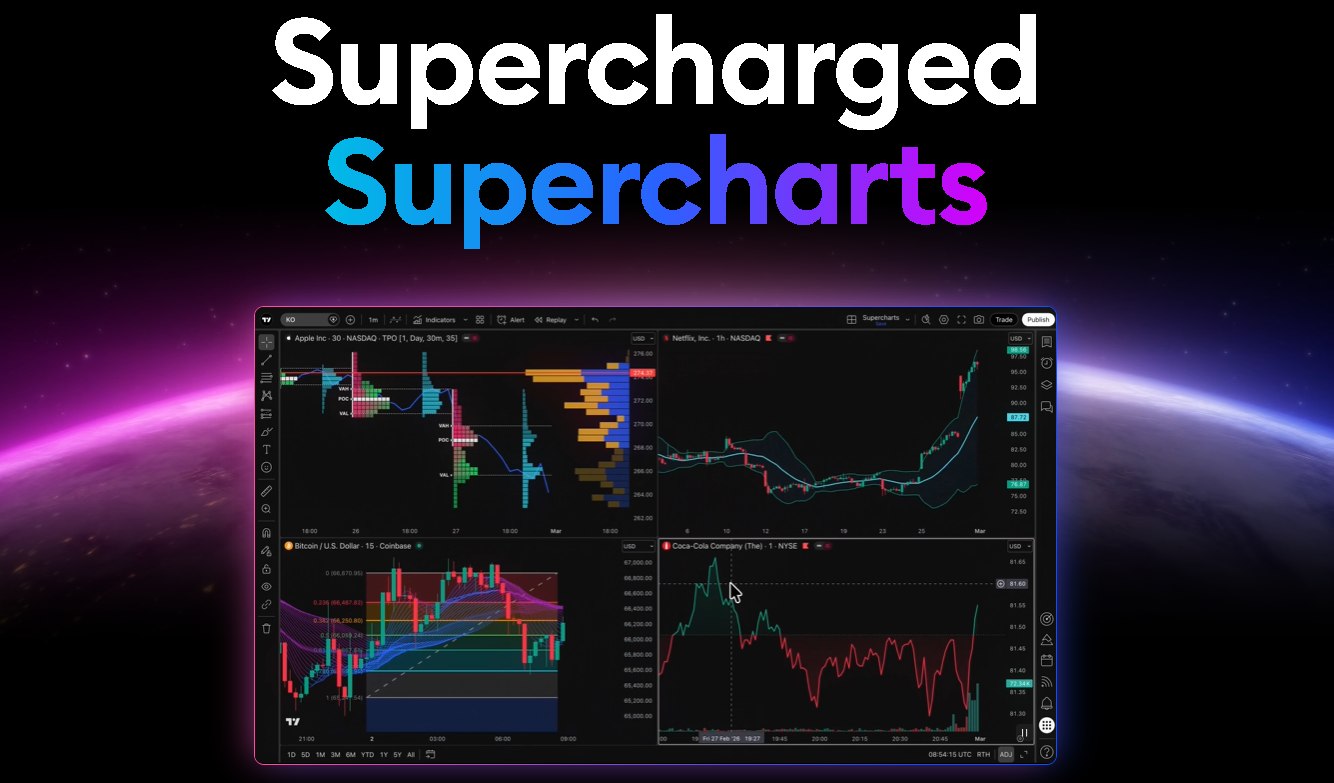
The charting layer is where TradingView earns its reputation. Premium and Ultimate unlock 21 chart types — candlesticks, Heikin Ashi, Renko, volume footprint, TPO (Time Price Opportunity), range bars — on top of 110+ drawing tools covering trendlines, Fibonacci retracements, Gann fans, pitchforks, and Elliott Wave counts. This isn't a toolbox you'll ever fully use, but the depth is there when a strategy calls for it.
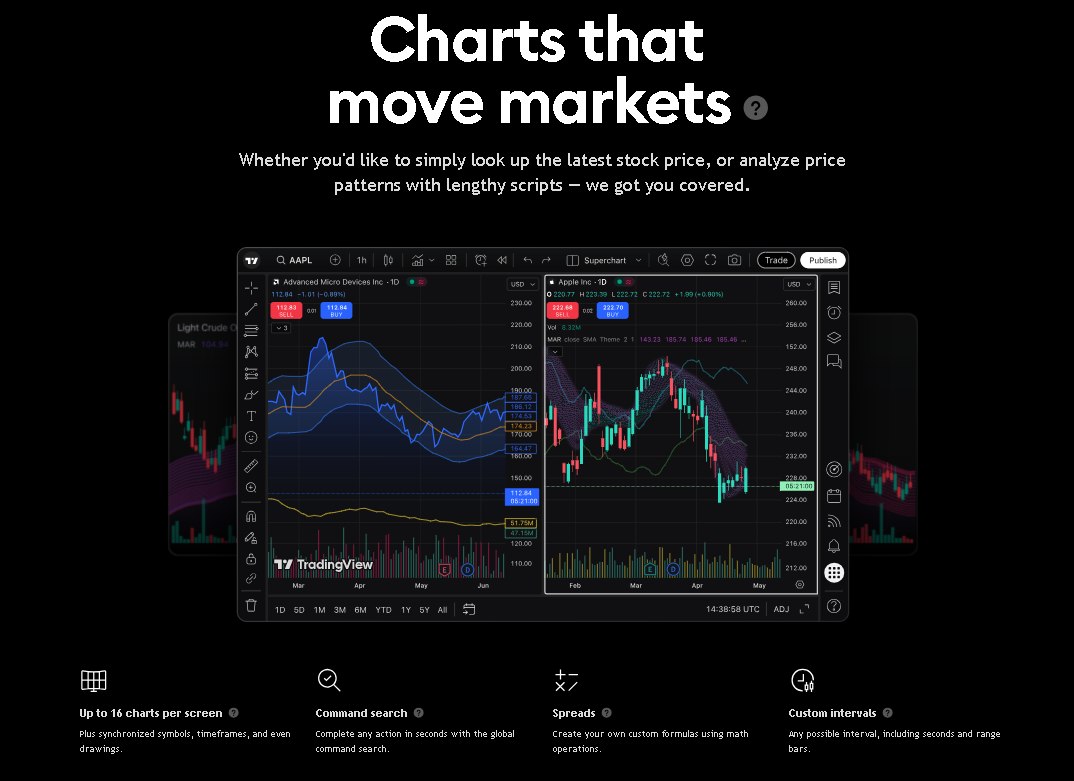
Multi-chart layouts are where the plan tiers actually bite. Free gives you one chart per tab. Plus bumps that to four. Premium goes to eight, and Ultimate maxes out at sixteen. Every chart in a layout stays synchronized — symbols, timeframes, and drawings link across the charts you have open, so scrolling or switching a symbol on one updates the rest. Bar Magnifier lets you zoom into a single bar to see the tick-by-tick action that built it, and Premium/Ultimate add second-based and tick-based intervals for anyone doing real intraday precision work.
Indicators and screeners
TradingView ships with 400+ built-in indicators — Volume Profile, anchored VWAP, Ichimoku, the standard stuff and the less-standard stuff — plus access to a community library of 100,000+ user-published indicators and strategies. Indicators can stack on top of other indicators, which means you can build multi-timeframe analysis directly on the chart without touching Pine Script. How many you can run at once is tier-gated: 2 on Free, 5 on Essential, 10 on Plus, 25 on Premium, 50 on Ultimate.
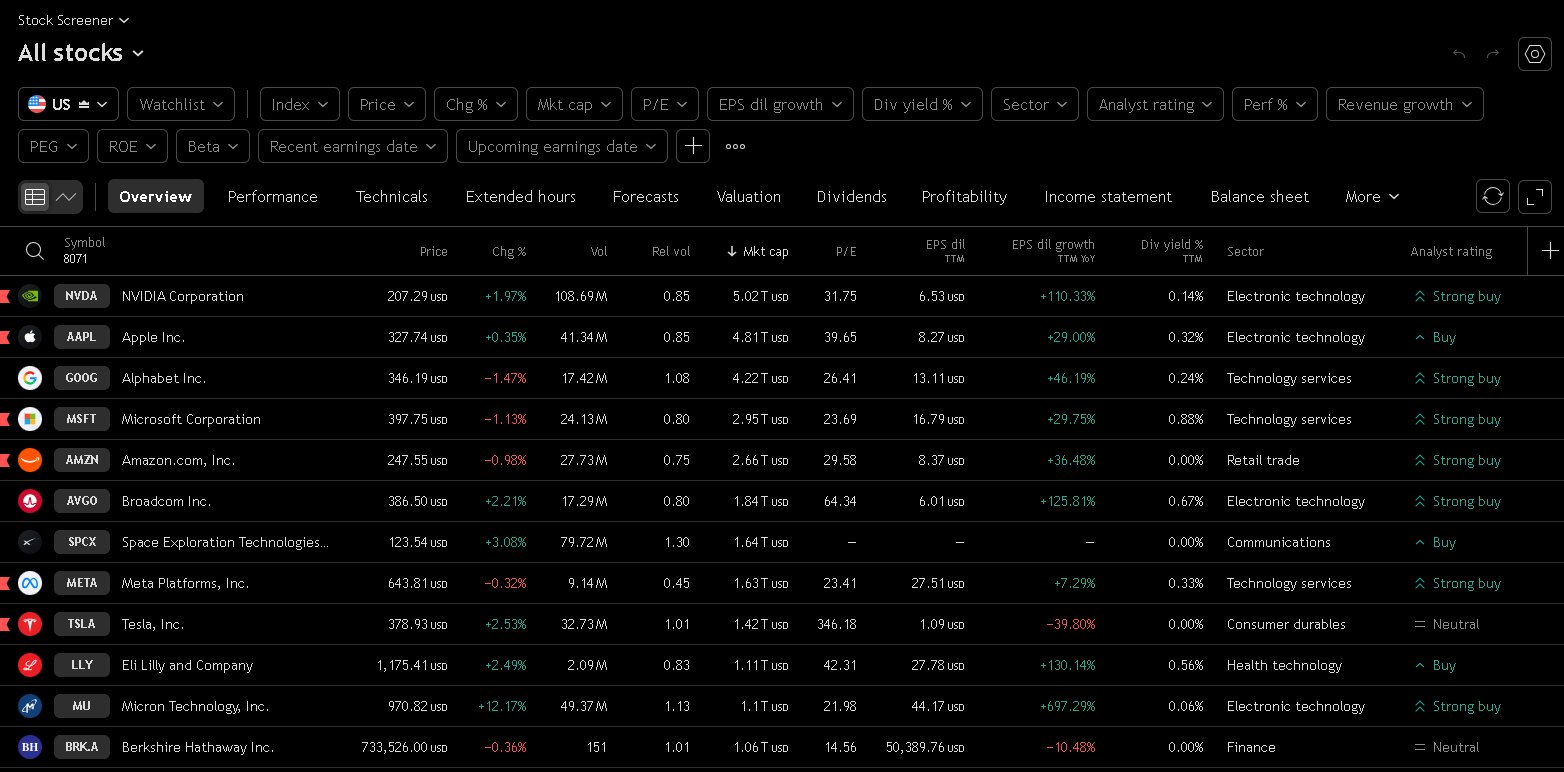
The screeners are the underrated part of the platform. There are six of them — stocks, bonds, ETFs, crypto coins, CEX pairs, DEX pairs — and the stock screener alone covers 150+ exchanges with 500+ filter fields, refreshing every 10 seconds on paid plans. Heatmaps for stocks, ETFs, and crypto group everything by sector and let you filter by market cap, volume, or price change, which makes scanning for what's actually moving today a lot faster than clicking through symbols one at a time.
Alerts and automation
Alerts can combine up to 5 conditions in one trigger — price levels, indicator values, drawing triggers, even Pine Script logic — so you're not stacking five separate alerts to watch one setup. How many alerts you can have running at once scales with plan: 1 on Free, 20 on Essential, 100 on Plus, 400 on Premium, 1,000 on Ultimate.
Webhooks are the feature that actually separates Plus from everything below it. They connect your alerts to external tools or automation systems, meaning an alert can trigger something instead of just notifying you. If you want your analysis to do more than ping your phone, Plus is the minimum tier that makes that possible.
Free, Essential, and Plus alerts all expire after 60 days. If you set a level and walk away, you may return to find your alerts silently gone. Premium is the first tier with non-expiring alerts. If permanent alerts matter to your setup, price that into your plan decision before upgrading to Plus.
TVPricing, fact-checked today
1Free (Basic)
$0/month, always free
2Essential
$14.95/month · $12.95/month billed annually
3PlusRecommended
$29.95/month · $21.95/month billed annually
4Premium
$59.95/month · $49.95/month billed annually
5Ultimate
$199.95/month · $169.95/month billed annually
6Free trial
30 days on Essential, Plus, and Premium · 14 days on Ultimate
7CME real-time data add-on
$7/month extra (futures traders: this is not optional)
8Affiliate cookie window
90 days · referred users get a $15 discount coupon
Prices verified July 2026 against TradingView's official pricing page.
| Feature | Free | Essential | Plus ✓ | Premium | Ultimate |
|---|---|---|---|---|---|
| Charts per tab | 1 | 2 | 4 | 8 | 16 |
| Indicators per chart | 2 | 5 | 10 | 25 | 50 |
| Price alerts | 1 | 20 | 100 | 400 | 1,000 |
| Alert lifetime | 60 days | 60 days | 60 days | No expiry | No expiry |
| Webhook alerts | No | No | Yes | Yes | Yes |
| Historical bars | 5K | 10K | 10K | 20K | 40K |
| Second intervals | No | No | No | Yes | Yes |
| Chart types | Basic | Basic | Basic | 21 types | 21 types |
| Price/month | $0 | $14.95 | $29.95 | $59.95 | $199.95 |
| Price/month (annual) | $0 | $12.95 | $21.95 | $49.95 | $169.95 |
Free plan limits are the cells that will stop your workflow first. Plus is highlighted as the recommended starting point for active traders.
Why the free plan isn't enough
- 1 chart per tab: no multi-timeframe side-by-side analysis without swapping layouts manually
- 2 indicators per chart: not enough for any real technical setup
- 1 price alert that expires in 60 days: practically unusable for set-and-monitor strategies
- No webhook support: alerts can notify you, but can't trigger anything
- 5,000 bars of history: too thin for meaningful backtesting
- No second-based intervals: intraday precision work not available
The free plan is the right place to start. It's not the right place to stay.
What Plus actually unlocks
- 4 charts per tab: run 4 timeframes side by side, stay in your layout
- 10 indicators per chart: enough for a full technical setup
- 100 price alerts: set your levels and let the platform watch
- Webhook alerts: connect your alerts to execution tools or notification systems
- 365 days of minute-bar history: enough to backtest strategies that actually matter
- 10K bars: more than Essential, enough for most swing and intraday setups
One thing to know about futures data
CME Group instruments (ES, NQ, MES, MNQ, CL, GC, RTY, YM) are 10 minutes delayed on all subscription tiers by default — including paid plans. Real-time CME data is a separate add-on: $7/month for non-professional users. If you're day trading futures, that $7 is not optional. Factor it into your real monthly cost.
Pros & cons
What works
- Browser-based, no install — works on any device
- 100,000+ community indicators and Pine Script for custom tools
- 30-day free trial on Plus before any charge
- Webhook alerts in Plus enable real automation
- Huge global data coverage: 3.5M+ instruments, 100+ exchanges
- Bar Replay for reviewing past sessions at any speed
- Paper trading built in with customizable settings
What doesn't
- Free plan alerts expire after 60 days — easy to miss
- CME real-time data costs $7/month extra on top of your plan
- Non-expiring alerts require Premium — a meaningful jump in price from Plus
- Not a broker — you still need a separate account to execute trades
- Broker integration list skews international; US futures traders use it as charting only
Who should use it
- Use TradingView Plus if: you're analyzing markets more than twice a week and the free plan's one-chart, two-indicator limit is slowing you down. Plus is the first tier that feels like a real workstation.
- Use Premium instead if: you need non-expiring alerts, second-based intervals, or 25 indicators per chart for a more complex setup.
- Stick with Free if: you're still learning the platform. Start free, hit the limits naturally, upgrade when it costs you more than the plan would.
- Skip TradingView if: you want a broker, not a charting tool. For actual trade execution, see the Webull review.
Ready to upgrade your charting setup?
Try TradingView Plus free for 30 days →FAQ
Is TradingView free?
Yes — TradingView has a permanent free plan with 1 chart, 2 indicators, and 1 expiring alert. It's a real tool, not a demo. The limits become the bottleneck once you're doing serious analysis.
What does Plus add over the free plan?
Four charts per tab, ten indicators, 100 price alerts with webhook support, and 365 days of minute-bar history. It's the first plan where the platform stops feeling like it's working against you.
Does TradingView have a free trial?
Yes — Essential, Plus, and Premium each include a 30-day free trial. Cancel before the trial ends and you're not charged.
Do I need to pay extra for real-time futures data?
Yes. CME Group data (ES, NQ, CL, GC, and the rest) is 10 minutes delayed by default on all plans. Real-time CME data is $7/month extra. If you're trading futures intraday, add that to your total cost.
Can I use TradingView with any broker?
Yes. TradingView is a charting platform, not a broker. You analyze there and execute through your brokerage. 100+ brokers are directly integrated, or you can use it standalone alongside any execution platform.
Do alerts expire on Plus?
Yes — alerts expire after 60 days on Free, Essential, and Plus. Non-expiring alerts are a Premium feature. Set a reminder to renew your alerts if you're on Plus and running longer-term levels.
Track what you actually own
Our $20 Personal Finance OS is the Notion dashboard we actually use — accounts, debts, sinking funds, one screen.
Get the Personal Finance OS →